
1
Create or Upload PGN
Import your games or create from scratch.
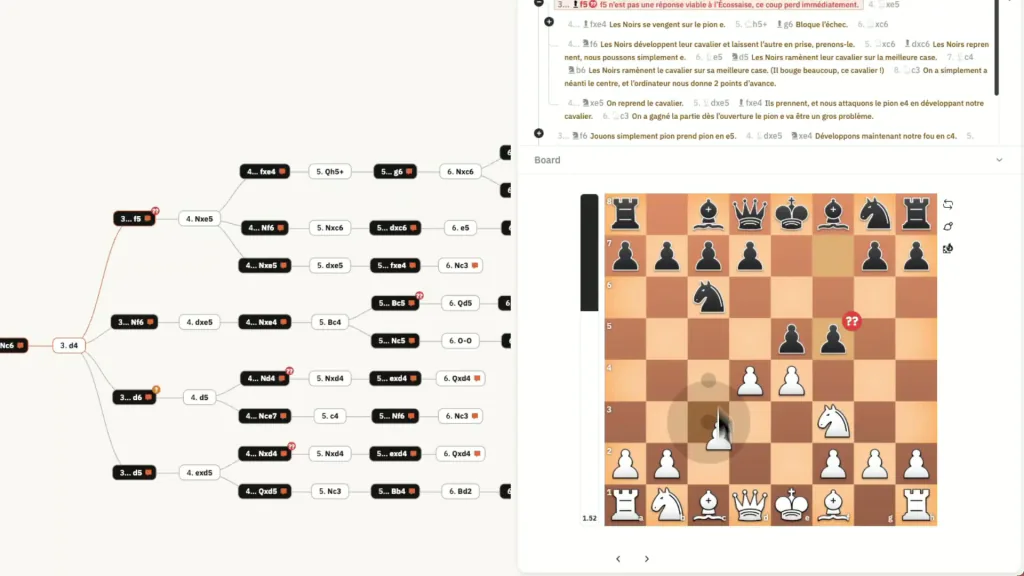
Transform linear PGN text into interactive decision trees. Navigate variations clearly, spot transpositions, and organize your repertoire with visual clarity.
Try it Free


See your repertoire come to life. Click to navigate, drag to reorder, and visualize complex variations without getting lost in brackets.
Traditional PGN editors force you to think linearly, burying variations in brackets. ChessFlare's Node Tree spreads your repertoire out visually, showing you exactly how lines connect and diverge.
For beginners, this is a game changer. Instead of memorizing abstract lists of moves, you navigate a physical map. You see at a glance where a trap exists or where a new variation begins.
Import your games or create from scratch.
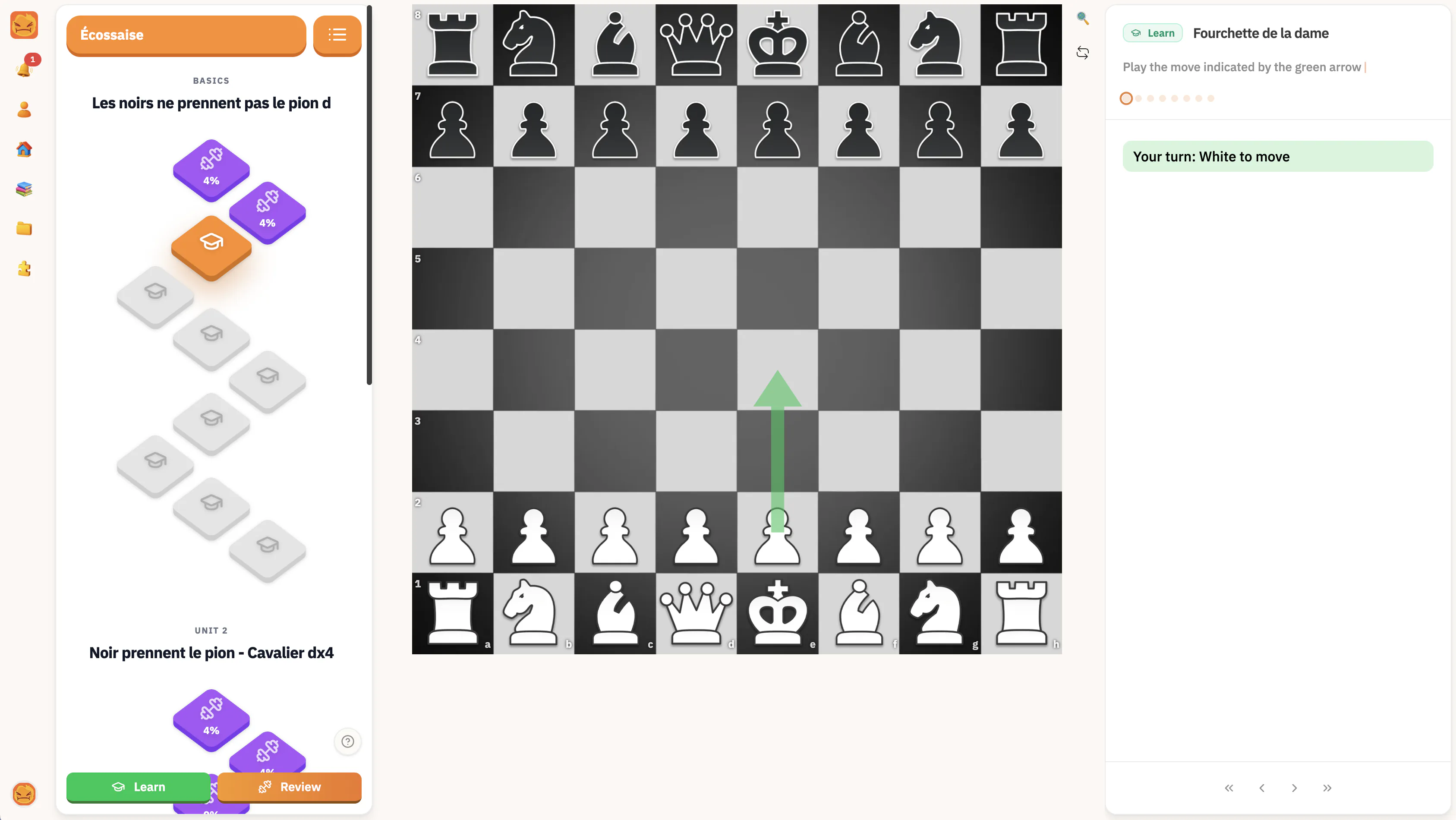
Study your lines move by move.
Keep your memory fresh with Spaced Repetition.
Understand your opening's structure at a glance. Identify key branching points and decision moments instantly.
ChessFlare automatically detects when different move orders reach the same position, preventing duplicate work and connecting your repertoire logically.
Add text comments, arrows, and circles (NAGs) to any node. Explain the 'why' behind the moves directly on the tree.
Click any node to jump to that position. Use arrow keys to traverse variations. It is the fastest way to explore deep opening lines.
Stockfish 17.1 is always ready. Analyze any node in the tree with a single click to verify your preparation.
Import your existing PGN files to visualize them as trees. Export your work back to PGN anytime.
Join thousands of players who have upgraded their opening preparation with ChessFlare's specialized tools.
Find answers to the most common questions about Chessflare
A Node Tree represents chess moves as a branching structure. Instead of a linear list with confusing brackets for variations, you see a visual tree where lines branch off clearly, making it easier to understand complex opening repertoires.
Yes, you can import standard PGN files. ChessFlare will automatically parse the moves and variations to generate the visual node tree structure.
Absolutely. Use the transposition feature to see when different move orders reach the exact same position, linking nodes across your tree.
Each feature helps you train a different part of your chess workflow, from review to memorization.